
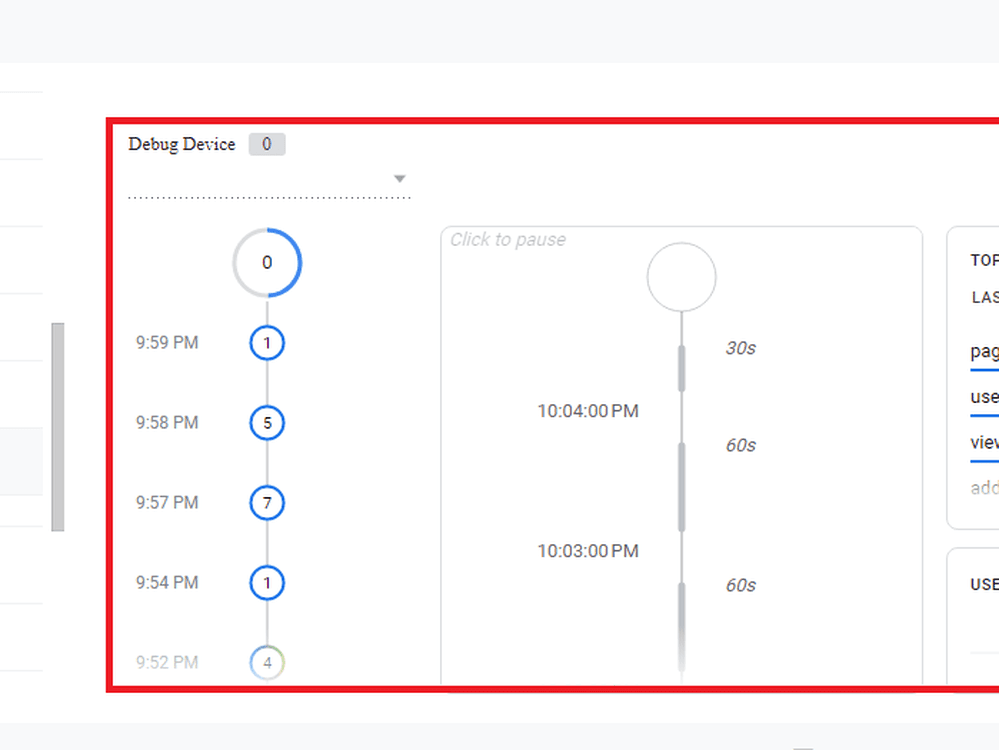
Google Tag Manager Preview Mode – Event Debugging Case Study
0.1 Google Tag Manager Project Summary
Implementation and QA testing of event triggers using Google Tag Manager Preview Mode to identify and resolve tag firing discrepancies across custom user interactions. Supported by our Custom Website Design & Development Solutions.
Google Tag Manager Key Achievements
- Isolated and resolved trigger conditions causing duplicate event firing.
- Standardized event naming conventions to ensure clean data flow to analytics tools.
- Reduced tag firing errors by validating variables and DOM elements prior to deployment.
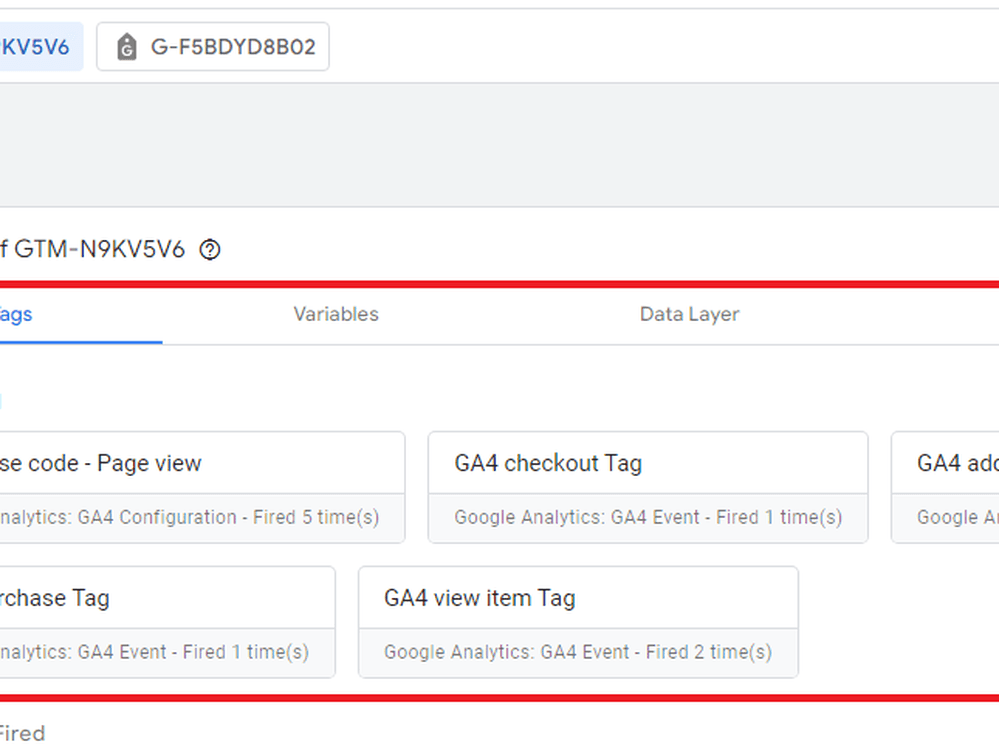
02. Google Tag Manager – GA4 Event Tag Validation Case Study
Project Summary
Validation of Google Analytics 4 event tags via Google Tag Manager to ensure precise tracking of micro-conversions and custom interaction events across all landing pages.
Key Achievements
- Successfully configured and tested custom event tags for form submissions, link clicks, and media plays.
- Verified parameters across user sessions to ensure full compatibility with GA4 schema.
- Standardized tag deployment documentation for internal team reference.
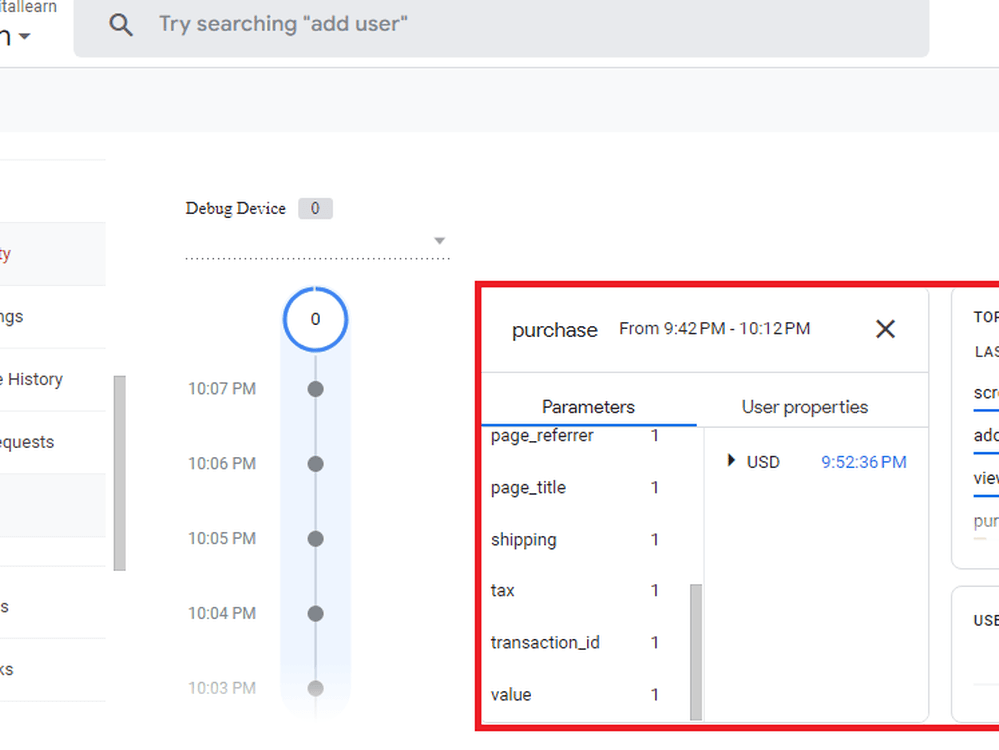
03. Case Study: Google Analytics 4 DebugView – Purchase Event Verification
Project Summary
End-to-end verification of ecommerce purchase events using GA4 DebugView to guarantee financial and order metric accuracy aligned with our Pay-Per-Click (PPC) Advertising Services.
Key Achievements
- Audited real-time payload data to verify item arrays, transaction IDs, tax, and shipping parameters.
- Eliminated tracking gaps between ecommerce platform checkout and GA4 reports.
- Confirmed accurate attribution data mapping for paid and organic channels.
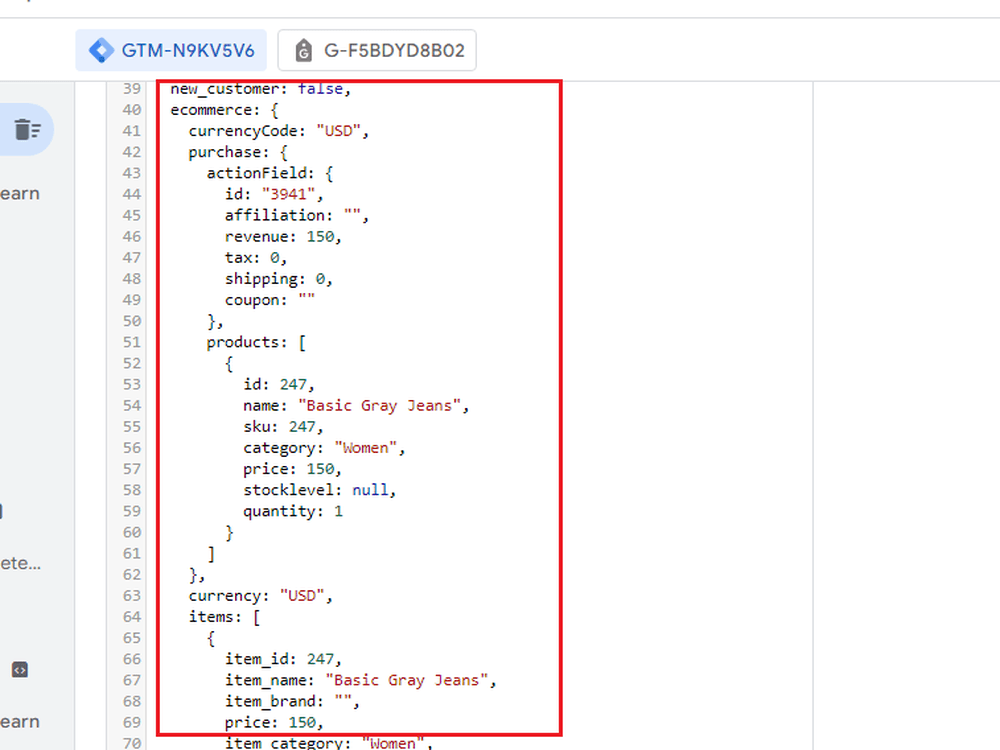
04. Case Study – GA4 Enhanced Ecommerce Data Layer Implementation
Project Overview
Custom JavaScript data layer architecture designed to pass detailed product, cart, and transaction metadata seamlessly into Google Tag Manager.
What We Delivered
- Full Data Layer specification for developers covering view_item, add_to_cart, begin_checkout, and purchase.
- Custom JavaScript variables inside GTM to extract dynamic parameters.
Result
Achieved 100% data layer accuracy across all checkout steps and streamlined funnel analysis by providing granular drop-off metrics.
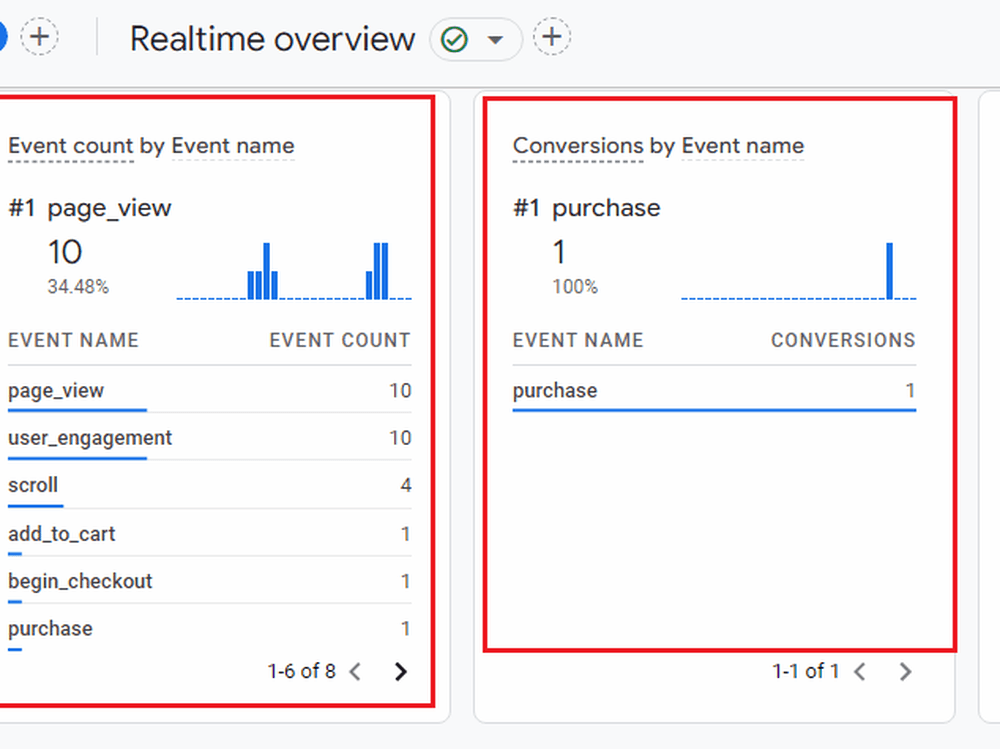
05. Case Study – Google Analytics 4 Ecommerce Conversion Tracking
Project Overview
Setup and calibration of conversion event tracking in Google Analytics 4 for an online store to evaluate campaign ROI and customer purchase paths.
What I Delivered
- Custom GA4 event mapping for key purchasing milestones.
- Audiences and conversion marking tailored for Google Ads remarketing integration.
Result
Provided full clarity on high-converting traffic sources and enabled data-driven adjustments to paid ad spend allocation.
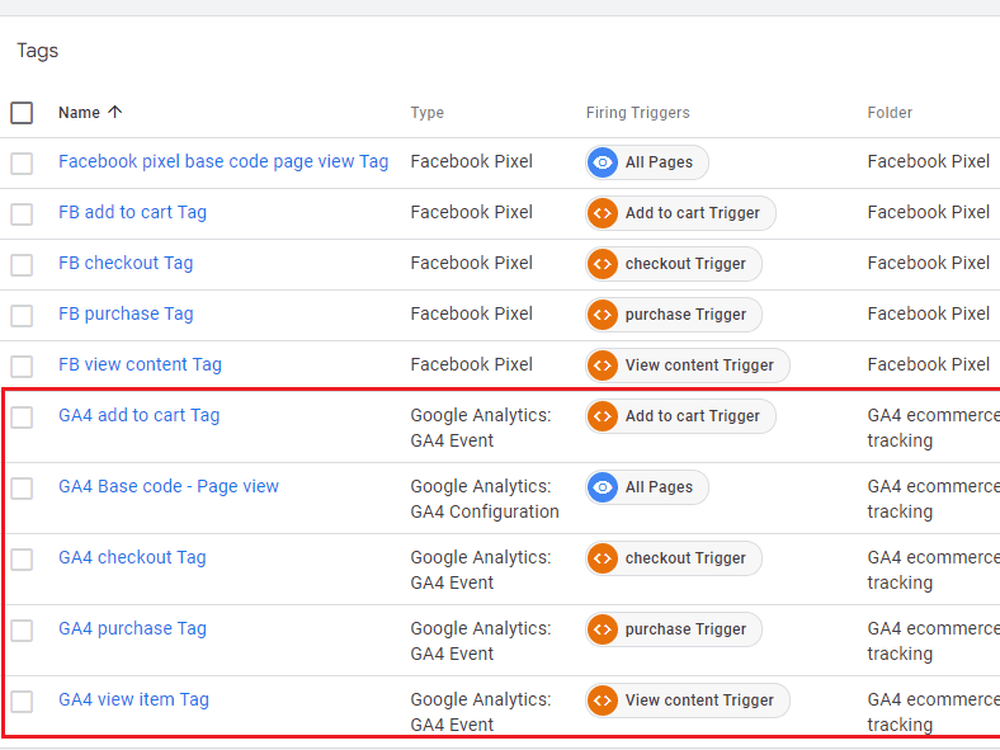
06. Case Study – Google Tag Manager & Facebook Pixel Ecommerce Setup
Project Overview
Integration of Meta (Facebook) Pixel and Conversion API (CAPI) via Google Tag Manager for reliable cross-platform ecommerce tracking.
What I Delivered
- Server-side and client-side Meta Pixel tracking via GTM.
- Event deduplication using unique event IDs for ViewContent, AddToCart, and Purchase.
Result
Improved Meta Ads event match quality score significantly and recovered lost conversion data caused by browser-based ad blockers.
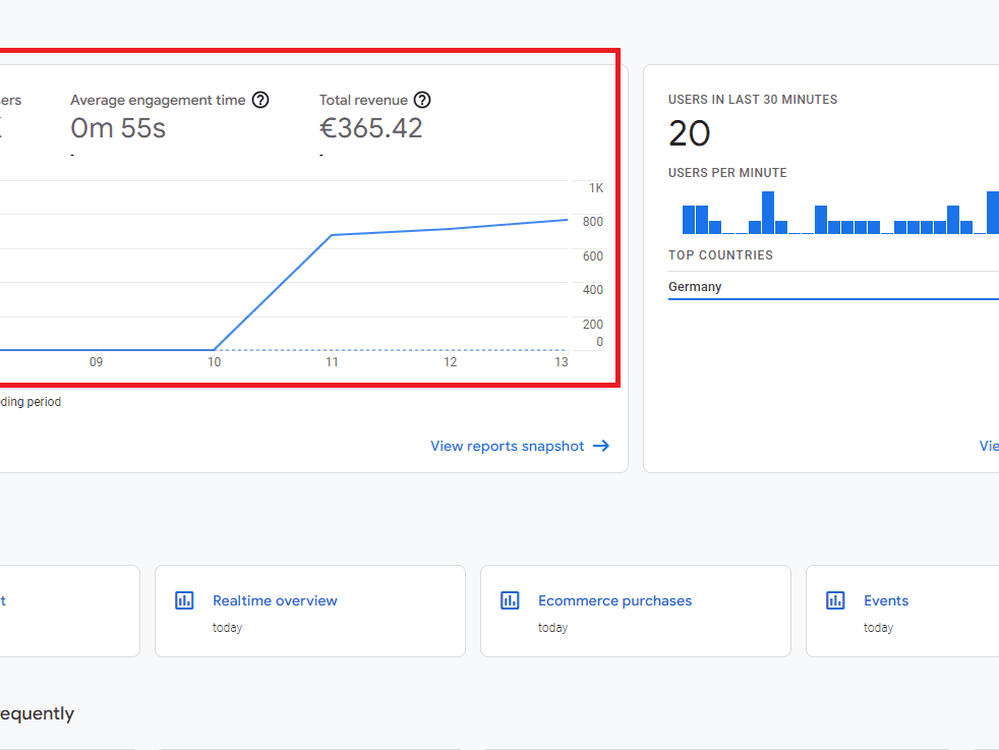
07. Case Study – Ecommerce Revenue & Performance Dashboard
Project Overview
Creation of a consolidated Looker Studio dashboard connecting GA4, GTM data, and ad platforms into a single reporting suite.
What I Delivered
- Customized visual reports tracking revenue, average order value (AOV), conversion rates, and ROAS.
- Automated client-ready executive summary views.
Result
Reduced manual reporting time by over 80% and enabled real-time decision-making for ongoing campaign optimization.